
1. Access Your Reseller Panel
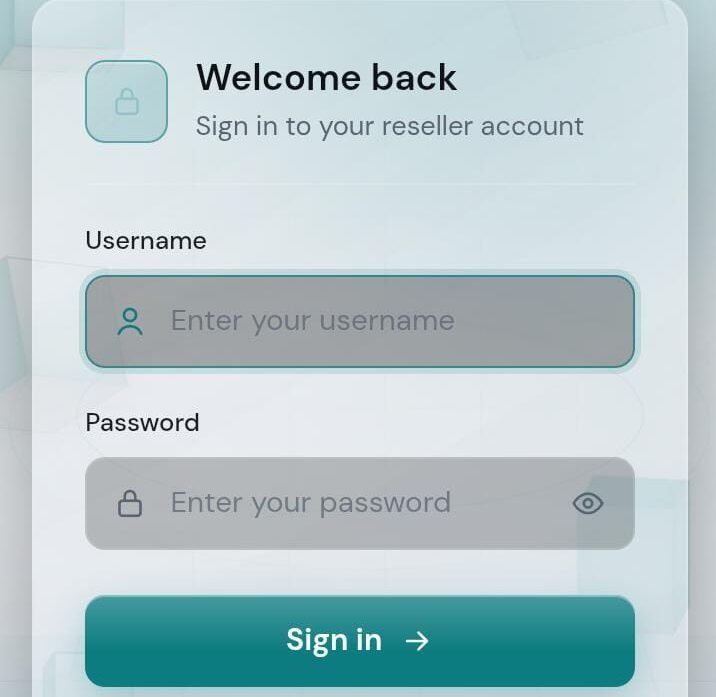
First of all you have to click on the link that your dealer have provided with the username and password for your reseller panel of lucid iptv. After that you will go to the interface where you have to put the username and password that has been given to you by your dealer of lucid iptv .after giving the username and password you will be able to enter into the panel.
2. Understand the Dashboard
After logging in, explore the dashboard to understand the available tools. Depending on your account permissions, you may find options for managing credits, creating subscriptions, checking activation details and viewing customer information.
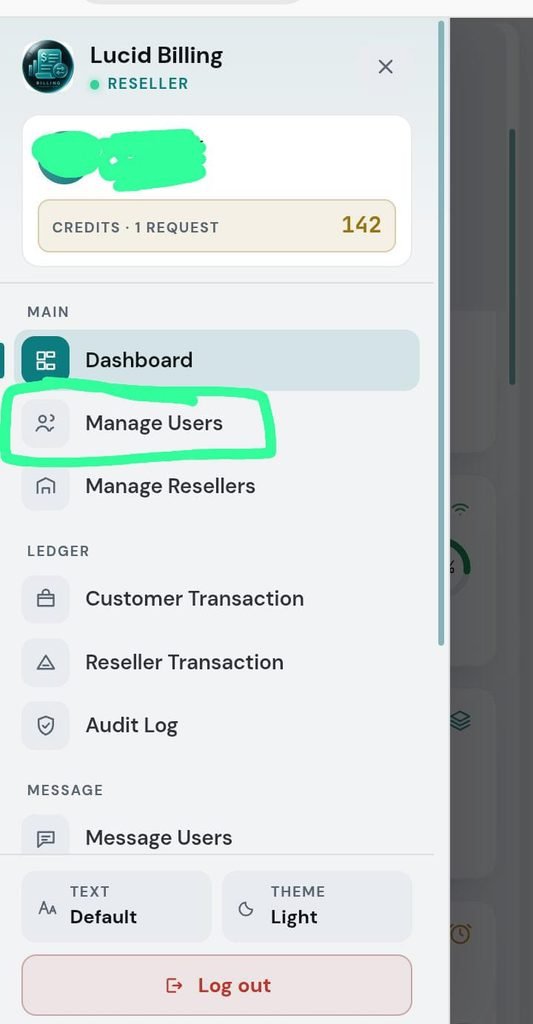
3. Manage Customer Subscriptions
When a customer requests a subscription, confirm their preferred package and device compatibility. Lucid uses a MAC-address-based activation process for supported applications. Collect the MAC address displayed inside the customer’s compatible application and enter the required details through the appropriate panel option.
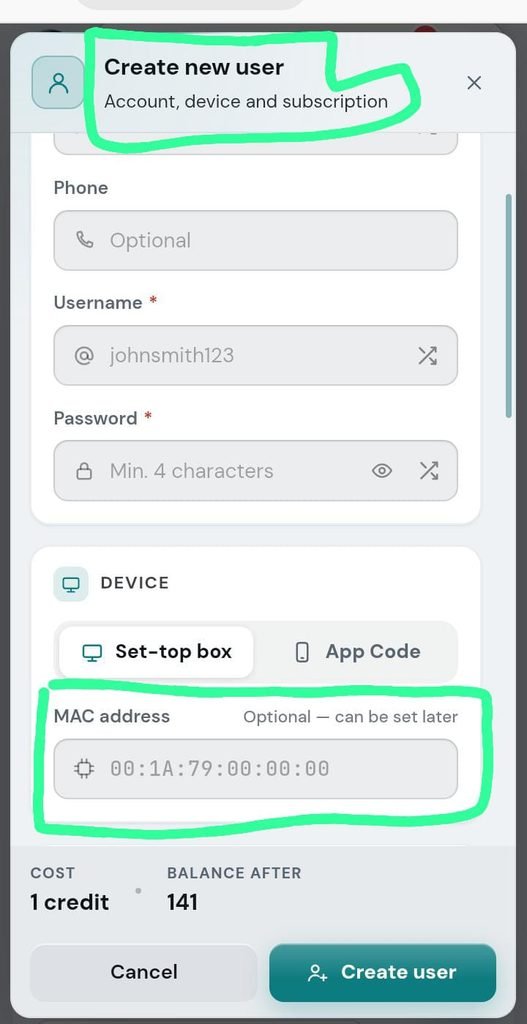
4. Complete MAC Address Activation
Submit the correct application MAC address through the panel. Once activation is completed, provide the customer with the Portal URL and instructions for entering it into their compatible application.
Remember, the application MAC address is different from the device’s Wi-Fi MAC address.
5. Monitor Your Reseller Account
Check your available credits, subscription records and customer activation details regularly. Keep accurate records of your transactions and contact the Lucid team if you encounter an issue.
Final Thoughts
Using the Lucid reseller panel can simplify subscription management when you understand its tools and activation process. Follow the correct MAC-based activation steps, verify customer details and provide clear setup instructions.